Products / Location Confirmation
Live · Google Play

Location Confirmation

The barcode scanner that keeps your Linnworks bin locations accurate.

Available now on Google Play · £12/month + VAT per Linnworks account — Linnworks billing publishes shortly
What it does

Optimised for Zebra handhelds

Designed around Zebra’s hardware scan trigger, and runs on any Android 8+ device.

Real-time bin verification

Scan a bin, scan the item — locations are verified and updated in Linnworks the moment you scan.

Live stock levels

See current stock for every item as you scan, and make on-the-go adjustments without leaving the aisle.

Pro Mode for managers

Passcode-protected overrides for the trickier corrections — the team scans, managers approve.

One-click Linnworks setup

Create your Englander account, then link Linnworks from Settings with one-click OAuth. From install to first scan in under five minutes — no IT project, no CSV imports.

Proven in production

This isn’t a demo. Location Confirmation keeps the bin locations accurate in our own UK e-commerce warehouse, every working day.

We use it before you do — that’s how every Englander AI product works.
See it work
Inside the app
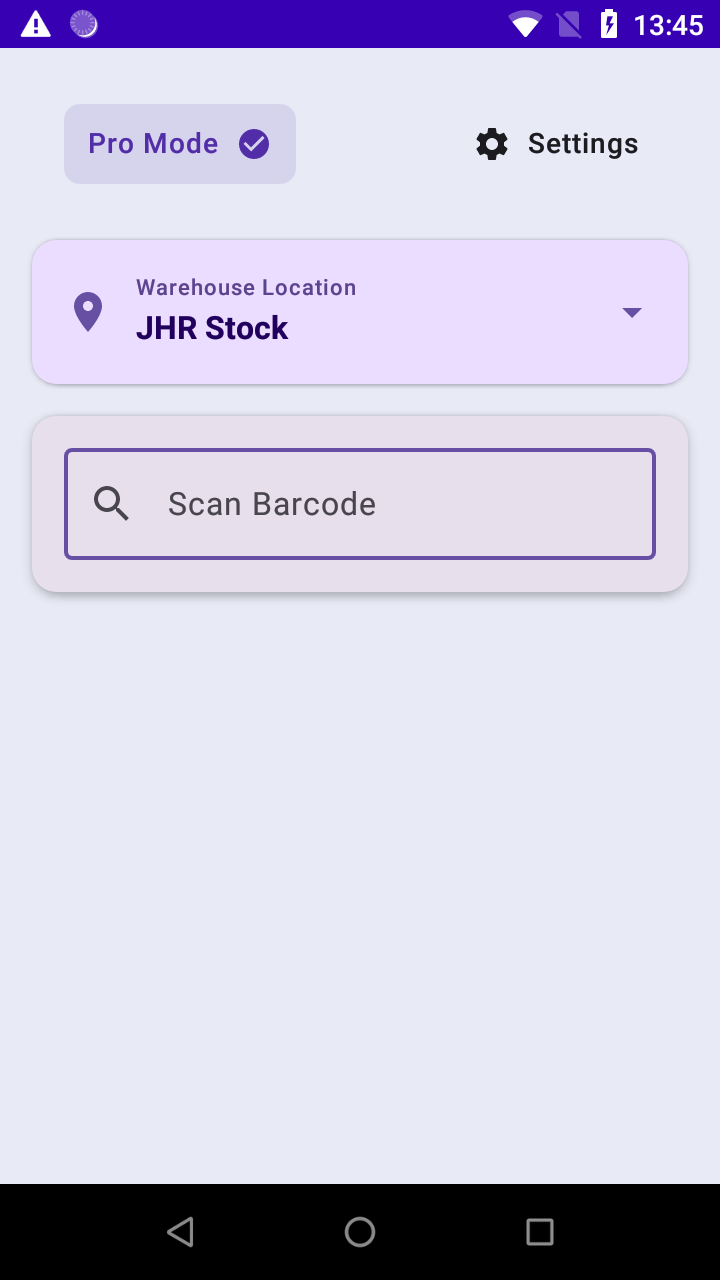
Ready to scan screen

Ready to scan

Clean interface waiting for barcode input
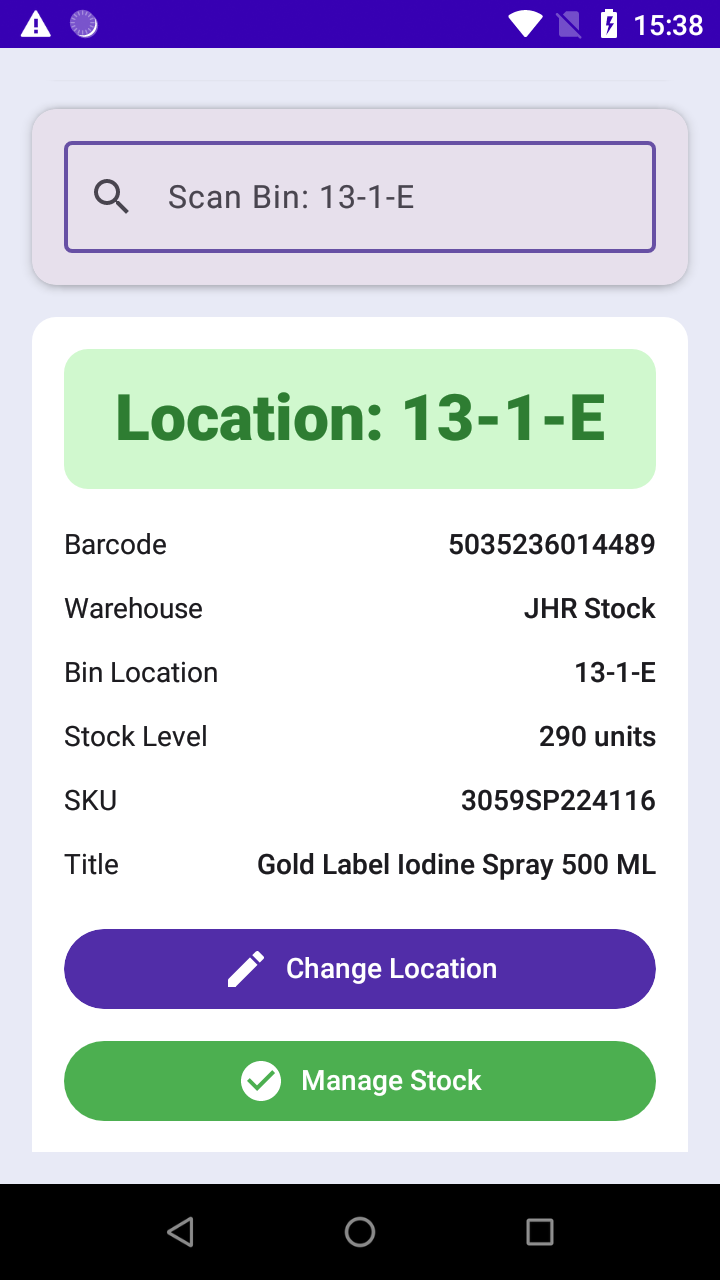
Item details screen

Item details

Full product information and stock levels
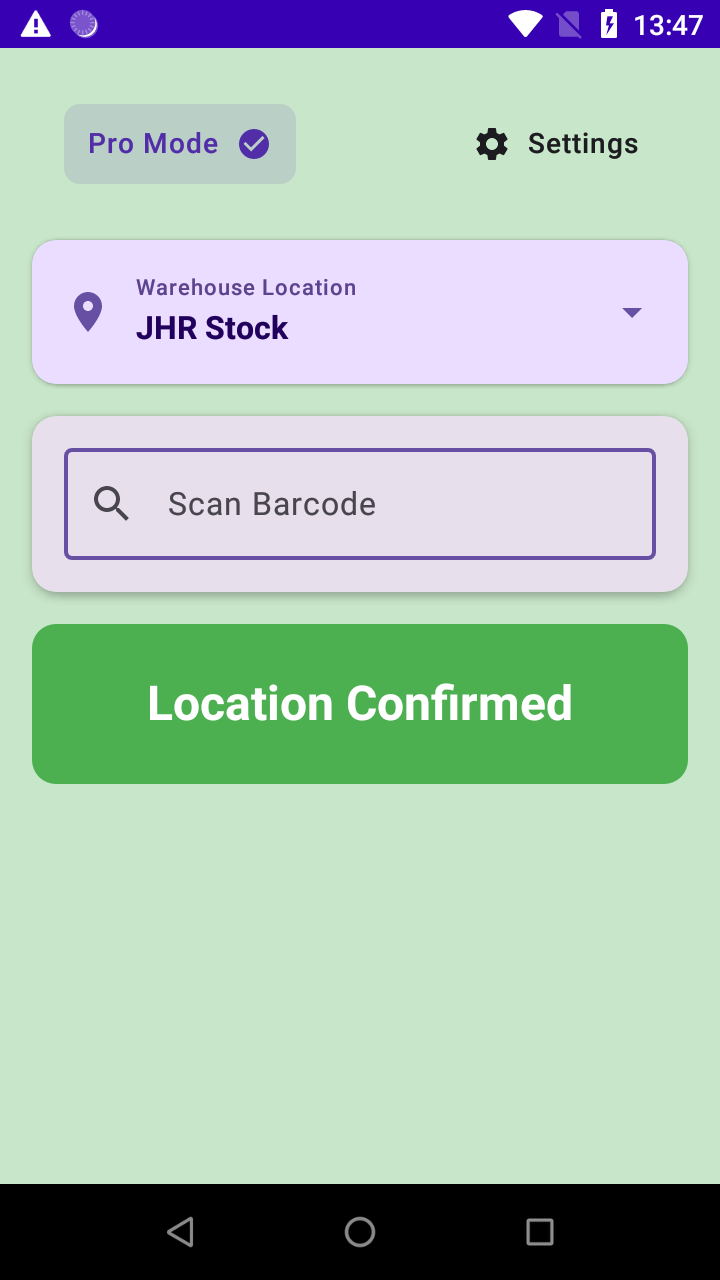
Successful location confirmation

Successful confirmation

Instant feedback when location matches
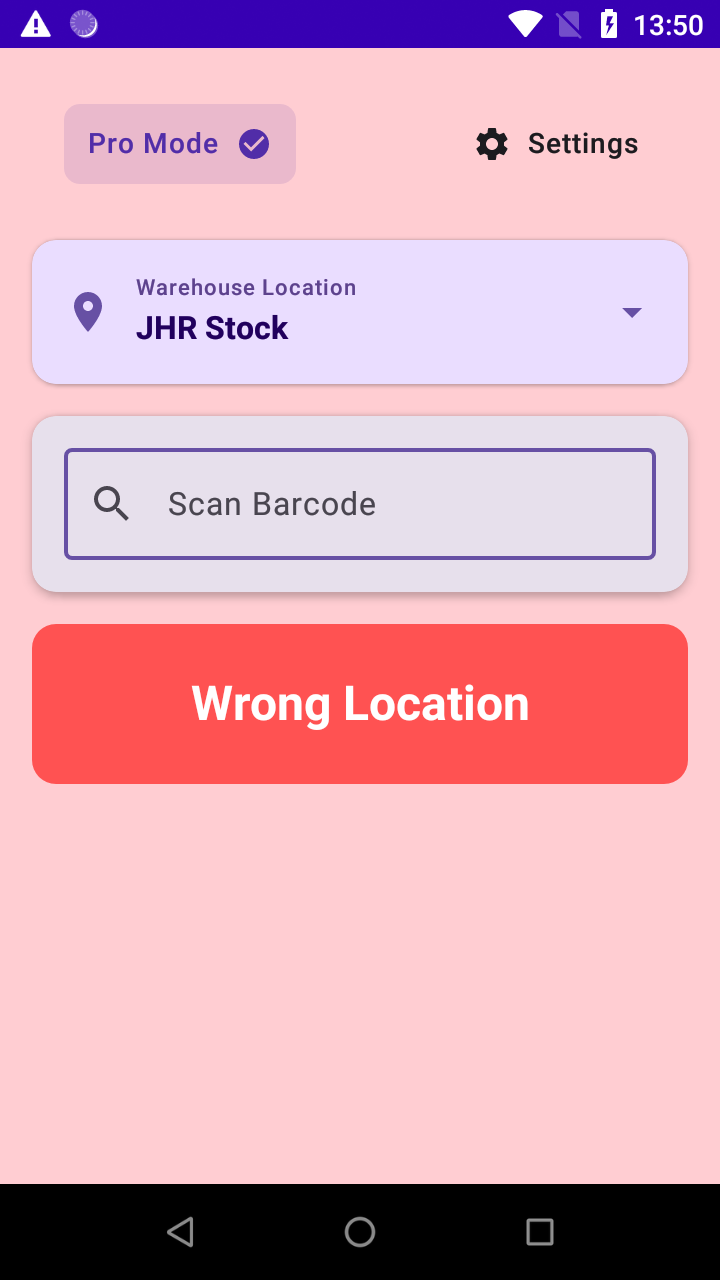
Location mismatch warning

Mismatch alert

Clear warnings prevent inventory errors
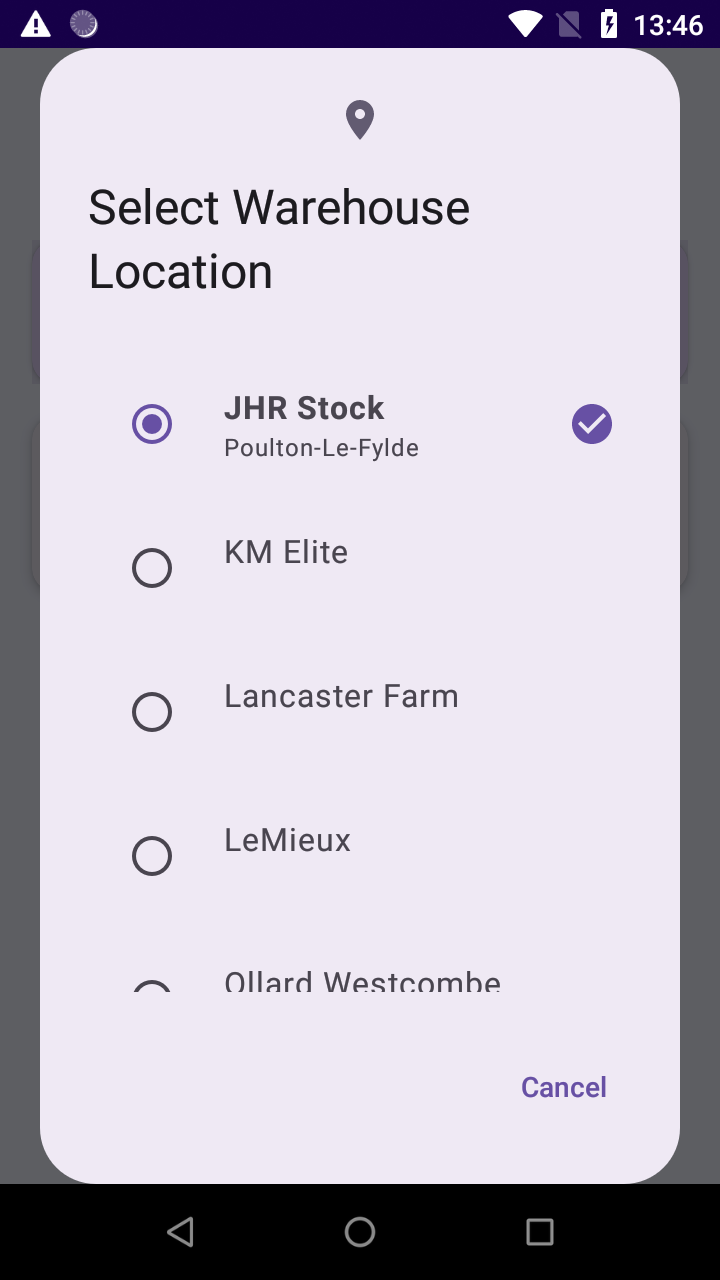
Warehouse location list

Multi-warehouse support

Switch between locations seamlessly
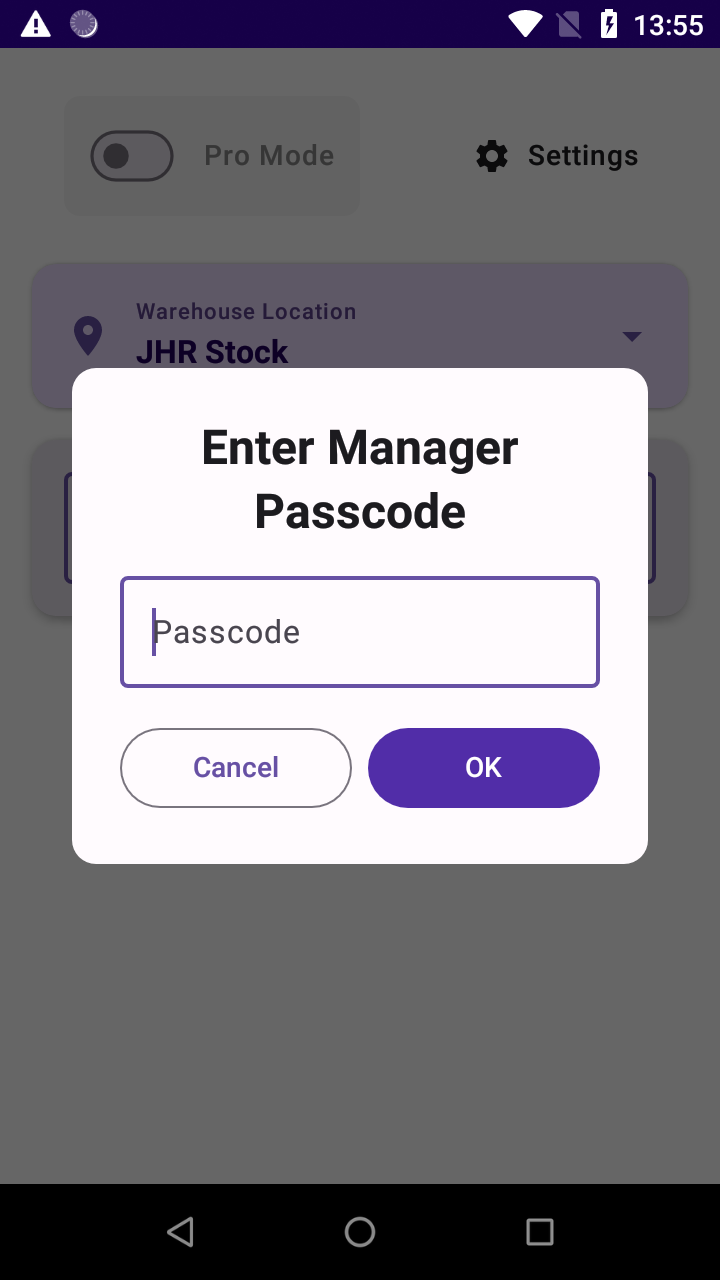
Manager passcode entry

Pro Mode security

Advanced features behind a passcode

Getting started

Three steps to your first scan.

1. Download it

Get Product Location Confirmation from Google Play, on your Zebra scanner or any Android 8+ phone. Managing a fleet? Your IT team can push it to every device — see the documentation.

2. Create your account

Sign up in the app with your email address and a password. This is your Englander account — it identifies each member of staff, so you can see who scanned what.

3. Link Linnworks in Settings

Open Settings, tap Link Linnworks Account and authorise it. That’s what connects the app to your stock and bin locations — until it’s linked, there’s nothing for the app to show you. Then start scanning.

Pricing

One plan. No surprises.

£12
per month + VAT
Per Linnworks account, not per user
Billed through your Linnworks account
14-day free trial, once billing goes live
Download on Google Play
Before you ask — how do I pay?

You can’t yet, and that’s fine. Billing runs through the Linnworks Application Store, and that listing is approved but not published. Until it is, the app is simply free to use — download it, set it up and start scanning.

We’d rather you knew that than found out later. Email us and we’ll let you know the moment billing goes live.

FAQ

Straight answers.

Do I need Linnworks?

Yes. Location Confirmation reads and writes bin locations through your Linnworks account — it’s built specifically for Linnworks sellers.

Which devices does it run on?

It’s optimised for Zebra handheld scanners and runs on any Android 8.0 or later device. Download it from Google Play — it’s live worldwide.

How long does setup take?

Under five minutes. Install from Google Play, create your Englander account in the app, then link Linnworks from Settings — and you’re scanning.

Can our IT team install it across a fleet of scanners?

Yes. Approve the app in Managed Google Play and push it to your device group through whatever you already use — SOTI MobiControl, Zebra StageNow, VMware Workspace ONE, Ivanti or 42Gears. It installs silently, with no Play Store access needed on the device. Steps are in the documentation.

We don’t offer a direct APK download. Because the app is distributed through Google Play, Android won’t run a copy installed from anywhere else.

What does it cost, and how do I pay?

£12/month + VAT per Linnworks account, with a 14-day free trial — billed through the Linnworks Application Store.

That listing is approved but not yet published, so there is currently no way to subscribe and nothing to pay. The app works in full in the meantime. Email support@englander.ai and we’ll tell you as soon as billing is live.

What is Pro Mode?

A passcode-protected mode for managers — overrides and corrections you don’t want every scanner user to make.

Who answers support?

The people who built the app — and who use it in our own warehouse every day. Email support@englander.ai.

Get it on your scanners today.

Download from Google Play, create your account, link Linnworks — and scan your first bin in minutes.

Download on Google Play
Questions first? support@englander.ai